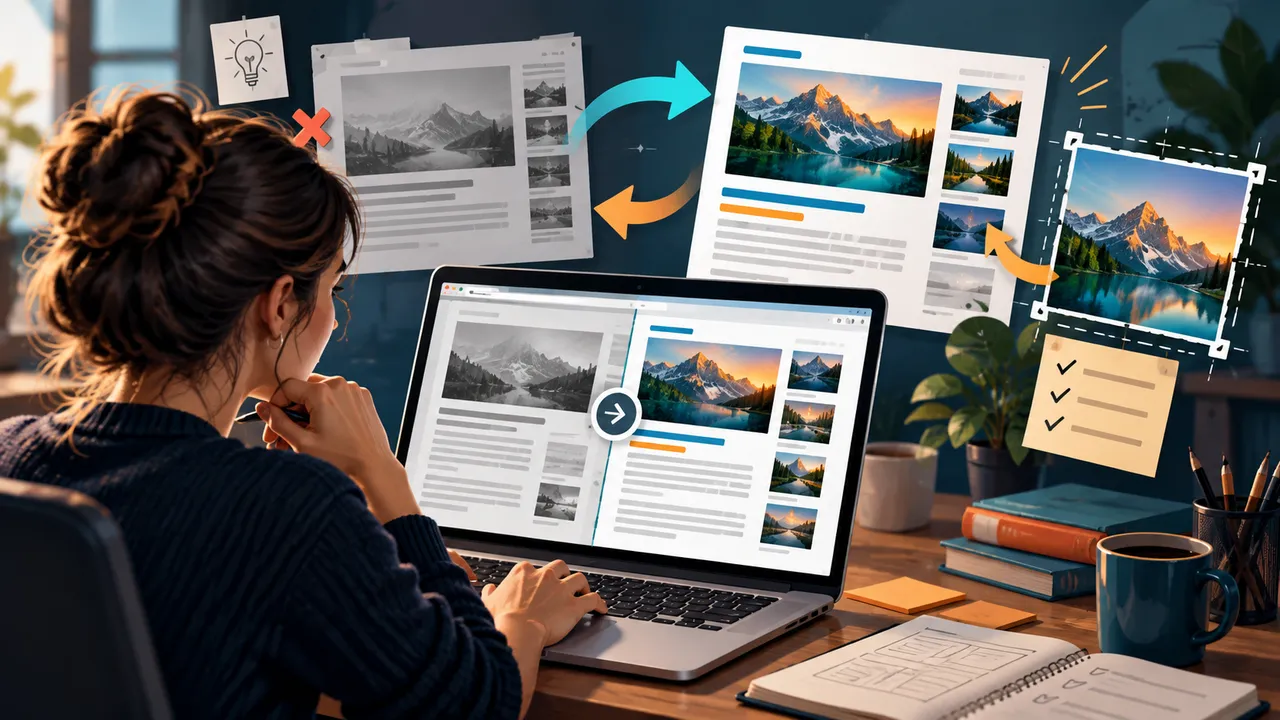
Content Refresh Strategy for 2026: Update Old Posts Without Losing What Already Works
Old content does not become bad simply because it is old. Some evergreen articles keep helping readers for years. Others slowly lose value because screenshots change, tools are renamed, regulations move, links break, examples feel dated, or search intent shifts. A strong refresh strategy separates those two cases.
The mistake is treating every update as a rewrite. If a page already ranks, earns links, and satisfies readers, replacing the whole article can remove useful sections for no reason. If a page is stale, changing the publication date without improving the content is equally weak.
A practical content refresh keeps what works, fixes what does not, and adds missing value. This guide shows how to choose pages, diagnose the real problem, update them efficiently, and measure whether the refresh helped.
Why Refreshing Often Beats Publishing Another Similar Article
Mature websites usually have more content than their teams remember. Before creating a new post, search the existing site. An article may already target the same intent and simply need an update.
Refreshing can protect accumulated value
An established URL may already have backlinks, internal links, search impressions, bookmarks, or returning readers. Improving that page can preserve those signals while making the resource more useful.
Refreshing reduces topic duplication
Publishing “Email Marketing Tips 2026” every year can create a chain of overlapping pages. In many cases, one well-maintained evergreen guide is easier for users and editors.
Choose Refresh Candidates With Evidence
Do not refresh pages only because they are old. Use signals.
Strong candidates
- Pages with declining clicks but stable or growing impressions.
- Articles ranking on page two for valuable queries.
- Pages with strong backlinks but outdated sections.
- High-traffic posts with old screenshots or broken links.
- Pages that convert well but have declining organic visibility.
- Evergreen topics where user questions have changed.
Google Search Console is useful for finding pages with declining clicks, changing query mixes, and strong impression opportunities.
Do Not Refresh Pages That Need a Different Action
Sometimes the right choice is merge, redirect, or remove.
Merge when intent overlaps
If two weak articles answer the same question, combining them into one stronger page may be better than refreshing both.
Redirect when a page has a clear successor
An old product guide can redirect to the new version when the topic and user need are genuinely the same.
Remove when the content has no remaining value
Expired announcements, test pages, or obsolete instructions with no replacement do not always need a refresh.
Start the Refresh With a Fact Check
Accuracy comes before style.
Check every changing element
- Prices
- Product names
- Platform features
- Statistics
- Legal or policy references
- Dates
- Links
- Screenshots
- Quoted experts
Replace outdated numbers with current reliable sources. If a statistic is no longer necessary, remove it rather than searching for a newer number merely to keep the sentence.
Compare Current Search Intent With the Old Page
A page may decline because the audience now expects a different format.
Example
An old article called “Best Video Editing Apps” may have been a simple list. Current users may expect pricing, platform compatibility, AI features, export limits, watermarks, ideal use cases, and side-by-side comparisons.
The topic is still relevant, but the decision has become more complex. Update the page around today’s decision process.
Use Query Data to Find Missing Sections
Search Console often shows queries the page already appears for but does not answer well.
Example
A guide on business bank accounts receives impressions for “business bank account without monthly fee” and “business account for freelancers.” If those questions fit the page, add useful sections rather than creating thin new posts.
Do not add every long-tail query as a heading. Group related needs and write naturally.
Keep Sections That Still Perform a Useful Job
A refresh is not an excuse to destroy proven content.
Preserve strong elements
Keep original examples, charts, explanations, and internal links that remain accurate. Improve transitions around them if needed.
If an old paragraph earns featured snippets or backlinks, think carefully before changing its core meaning. Update only what is necessary.
Improve the Introduction for Faster Relevance
Older blog posts often begin with long generic introductions. Modern readers want to know quickly whether the page solves their problem.
A useful introduction should
- Define the problem.
- Explain what the reader will be able to do.
- Clarify who the guide is for.
- Set expectations about scope.
Skip broad statements such as “Technology is changing faster than ever” unless the sentence adds real context.
Add Current Examples Instead of More Theory
One new realistic example can improve a page more than five new generic paragraphs.
Examples of useful refresh additions
- A current screenshot showing the new interface.
- A before-and-after workflow.
- A pricing example based on today’s plans.
- A recent customer scenario.
- A new comparison table.
- A checklist based on current platform rules.
Examples make updated content visibly different from a date change.
Update External Links and Authority References
Old links can point to removed pages, redirects, outdated documentation, or weak secondary sources.
Prefer primary sources when possible
For platform rules, use official documentation. For public data, use the original organization or report. For regulations, use the relevant authority.
Readers should be able to verify important claims without following a chain of copied blog posts.
Review Internal Links During Every Refresh
An older article may not link to resources published after it.
Add only useful links
If you now have a deeper guide on one subtopic, link it at the point where a reader may need more detail. Remove links to deleted or redirected pages and point directly to the current destination.
A refresh is a natural way to strengthen topic clusters without mass-editing the whole site.
Replace Weak Images and Screenshots
Visuals age quickly when they show software interfaces, device designs, dashboards, or products.
Image refresh checklist
- Replace obsolete interface screenshots.
- Compress oversized files.
- Use descriptive alt text.
- Keep aspect ratios stable to avoid layout shifts.
- Remove decorative images that add no information.
- Update captions when facts change.
Do not keep an old screenshot only because it is already uploaded.
Update the Title Only When the New Title Is Better
Changing a title can improve relevance and click clarity, but constant title changes make performance difficult to interpret.
Good reasons to update
The title promises an outdated year, misses the actual search intent, uses an obsolete product name, or is vague compared with the improved content.
Do not change the URL casually
If the slug is still accurate, keep it. Changing a working URL creates redirect work and can break external links. The date in the URL is a common reason publishers regret year-based slugs.
Handle Dates Transparently
If the article receives a meaningful editorial update, showing a modified date can help readers understand freshness.
Do not change the modified date automatically for tiny punctuation edits or plugin updates. A freshness label should correspond to real review work.
Refresh for Readability, Not Just Keywords
Older content often contains long paragraphs, passive language, and repeated points added during earlier SEO edits.
Editing goals
- Shorten sentences where clarity improves.
- Break long paragraphs.
- Remove repeated definitions.
- Use subheadings for real decisions and tasks.
- Replace jargon with plain language.
- Move important answers earlier.
The article should feel easier to use after the refresh.
Add Original Value When Generic Content Is Easy to Reproduce
In 2026, generic summaries are easy to create. A refreshed page should give readers a reason to trust and use your version.
Ways to add original value
- First-hand testing
- Expert commentary
- Customer data
- Original screenshots
- Templates
- Calculators
- Decision frameworks
- Real examples
Do not invent first-hand experience. If you did not test a product, say what evidence the comparison uses.
Create a Refresh Brief Before Editing
A short brief keeps the editor focused.
Include
- Why the page is being refreshed
- Current traffic and query trend
- Sections to keep
- Facts to verify
- Missing user questions
- New examples or visuals needed
- Internal links to add
- Desired outcome
This prevents “refresh” from becoming an unplanned full rewrite.
Use a Tiered Refresh System
Not every page deserves the same amount of work.
Light refresh
Fix broken links, update a few facts, replace one screenshot, and improve a weak introduction.
Medium refresh
Update multiple sections, add current examples, improve structure, and expand missing intent.
Full rebuild
Use when the topic remains valuable but the article no longer matches current user needs. Keep the URL when appropriate, but reconstruct the content around today’s task.
A Real-World Refresh Example
A marketing site has a 2023 guide to webinar promotion. The URL still receives impressions, but clicks have fallen. The article recommends tools that changed pricing, screenshots show old dashboards, and the section on post-event repurposing is weak.
The editor checks current search queries and sees strong interest in webinar clips, automated follow-up, and on-demand access. The refresh keeps the useful planning timeline, updates platform references, adds a repurposing workflow, replaces screenshots, improves the registration-email examples, and links to a newer email deliverability guide.
The article becomes more useful without discarding the structure readers already liked.
Measure the Refresh Over a Meaningful Window
Record the date and what changed. Then monitor impressions, clicks, ranking query diversity, engagement, internal clicks, and conversions.
Do not judge the next day
Search engines need time to recrawl and reassess pages. Traffic can also vary by season. Compare against an appropriate baseline.
Look beyond total clicks
A refresh may reduce irrelevant traffic while increasing qualified leads. That can be a good outcome.
Content Refresh Checklist for 2026
- Choose candidates using traffic, impressions, links, and business value.
- Confirm refresh is better than merge, redirect, or removal.
- Fact-check changing information.
- Review current search intent.
- Use query data to find missing needs.
- Keep strong sections that still work.
- Update examples, screenshots, and authority links.
- Review internal links.
- Improve readability and remove filler.
- Add original value where possible.
- Keep working URLs unless a change is necessary.
- Record the refresh and measure results.
Conclusion: Refresh With a Reason
Content refreshes work best when every edit has a purpose. Fix outdated facts because readers need accurate information. Add a section because query data reveals a missing question. Replace an image because the old visual is misleading. Preserve a strong explanation because it still does its job.
Do not rewrite pages simply to look active. Do not change dates without meaningful work. Use evidence to decide which pages deserve attention and how much.
A disciplined refresh program gives strong content a longer life, reduces duplication, and turns an existing library into an asset instead of a pile of forgotten posts.



One thought on “Content Refresh Strategy for 2026: Update Old Posts Without Losing What Already Works”