
Build a Useful Content Glossary: Explain Hard Terms Without Jargon
A glossary gives readers a quick way to learn new terms. Keep each entry short, link it to the right guide, and update it when the meaning changes.
Why a glossary solves a real reader problem
A person may understand the goal of a guide but get lost when the writer switches between unfamiliar terms. A software article can mention an API, a webhook, and a workflow in one paragraph. The writer may know each term, while the reader only wants to connect two tools.
A good glossary explains the words a reader needs to finish a task. It is not a list of every term in an industry. A short set of plain definitions, linked from the right articles, can save support time and make complex content easier to follow.
The challenge is to choose terms, write accurate explanations, and keep them consistent as products change. This guide shows a practical editorial workflow for doing that without turning your website into a textbook.
Find confusing terms in real questions

Start with questions from customers, support tickets, search queries, and sales calls. Look for words that people ask staff to explain. A term is a strong glossary candidate when it appears across many useful pages and needs a stable answer.
Do not assume the most technical word is the best choice. A common phrase such as “billing cycle” may confuse more readers than a rare code term. Also look for pairs that people mix up, such as an account owner and an account editor.
Collect a small first list. Ten to twenty well-chosen entries can be more useful than a page with two hundred thin definitions. Ask a support agent which five words lead to repeat questions. That input can shape the first release.
If a term matters in only one guide, explain it in that guide first. It may not need a separate page.
Write the one-sentence answer first
An editor’s practical check
A reader who opens a glossary page should see a direct definition near the top. Use a short sentence with common words. Then add a simple example that shows how the idea works.
For instance, a webhook is a way for one service to send an update to another when something happens. A simple example is a form tool telling a project tool that a new request arrived. That answer is enough for many readers. A developer guide can explain the technical details later.
Avoid defining one unfamiliar term with three more unfamiliar terms. If the reader must open four pages before understanding the first, the glossary has failed.
The W3C advice on accessible writing supports clear language and meaningful structure. A glossary is a natural place to put those habits into practice.
Give each entry a practical use case
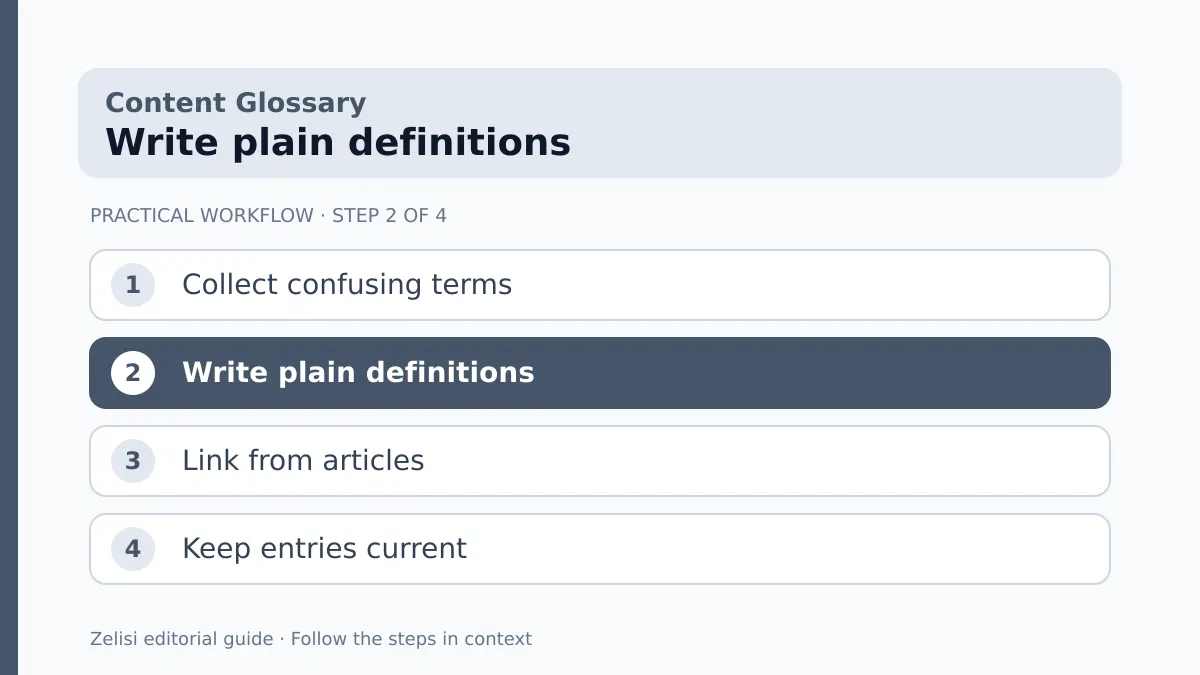
After the definition, show a small scenario. A reader should be able to recognize when the term matters. For a “conversion” entry, explain that a business first chooses an action it values, such as a completed booking or a form sent. Do not suggest every click is a sale.
For a “cache” entry, explain that a site may save a copy of a page or file to load it faster. A common real-world issue is seeing an older version after an editor has updated the page. A short note can suggest refreshing or clearing the right cache with care.
Use examples suited to the site’s audience. A glossary for writers may focus on content briefs and source notes. A glossary for store owners may focus on inventory, orders, and shipping.
Keep the example accurate but modest. Do not turn an explanation into a hidden product pitch.
Compare terms that people mix up
Some words are easier to learn side by side. A short comparison can explain how “reach” differs from “impressions” or how a “draft” differs from a “published post.” These are useful because people often make decisions based on the wrong measure or status.
Make the comparison concrete. Reach usually counts unique people or accounts exposed to content under the platform’s definition. Impressions count displays and may include more than one display for the same person. The exact rules can differ by service, so link the official metric guide when the distinction matters.
Do not write a long table if two short paragraphs will do. A quick example of one person seeing the same post twice may teach the idea more clearly than a dense grid.
When platforms change a metric name, update the glossary and the articles that link to it.
Choose a page structure that works

Use one H1 for the entry title, a short definition, and a few H2 sections only when the idea needs them. A common layout can help readers, but do not stretch a simple term into a thousand empty words.
For a larger concept, add a worked example, related terms, and a link to a deeper guide. For a small term, a compact entry may be best. Content quality is not measured by a fixed length for every definition.
Make links descriptive. “Read the guide to event tracking” is clearer than “click here.” If two terms relate, link them where the connection helps the reader. Avoid putting the same ten related links under every page.
A glossary index should let people search or browse terms without guessing which category holds them. On a phone, keep the alphabet navigation easy to use.
Check each definition with the right owner
An editor can make a sentence clear, but accuracy may need a subject expert. Ask a product specialist, engineer, or policy owner to review terms in their field. Give them a simple task: check the definition, example, and limits.
A term may have a strict meaning in law or medicine and a loose meaning in everyday talk. If the site covers a regulated topic, do not make a confident universal claim based on casual use. State the context and link to a reliable authority.
Keep a checked date for entries tied to product features or platform terms. A stable term may need little change, while an app setting can move next month.
Editors should be free to challenge jargon too. If an expert can only explain the term with more technical words, ask for a real example.
An example from a small marketing website

A small agency publishes guides on ad campaigns. Readers often ask what “attribution” means. The agency has used the term in twenty posts but has no consistent definition. Some posts even imply it proves which ad caused a purchase.
The editor writes a glossary entry: attribution is a way to assign credit for a result across marketing touchpoints under a chosen model. The entry explains that reported credit is not the same as proving cause. It links to the relevant Google Analytics help page for the platform’s current rules.
The agency then updates only the articles where that definition helps. It does not paste the full glossary entry into every guide. Readers get a plain answer and a route to the detail they need.
This also helps the agency’s own team use the term more carefully.
Set a small maintenance routine
An editor’s practical check
A glossary can become stale if no one owns it. Give every entry an editor and a subject reviewer. When a related guide changes, check whether the definition still fits. Track broken links and reader questions.
- Review terms tied to fast-changing products more often.
- Check official names and metric definitions at their sources.
- Merge entries that answer the same question.
- Link from guides only where a definition helps.
- Remove a term when it no longer serves readers.
Avoid changing definitions silently when the difference affects an important decision. Add a short update note where needed. A glossary should be a trusted reference, not a collection of old marketing labels.
A quarterly review may be enough for a small site, with quick fixes whenever a product changes.
Measure whether the glossary helps
A useful glossary can reduce confusion, but do not claim it has solved support work based only on page views. Look at what people search for, which definitions they open, and whether they still ask the same questions. Ask support staff whether a link to an entry helps in replies.
If readers leave a glossary page for a deeper guide, that may be a good result. They found the next step. A low bounce rate is not the only sign of success. A person may get the definition in ten seconds and leave satisfied.
Use that feedback to improve the plain-language answer, add a missing example, or link a more useful guide. Keep the glossary small enough that every entry earns its place.
The best glossary does not show off how many terms the site knows. It makes readers feel that they can understand the subject and act on it.